My Next Filing - A Tax Plan for Freelancers in India
A browser-only tax planner for solo freelancers in India. Answer a few questions and get your next action, its due date, and what you still owe.

I built My Next Filing, a tax planner for solo freelancers in India that runs entirely in your browser. No account, no backend, no analytics. You answer questions about your work, and it tells you the next thing to do, the date, and the estimated amount left to pay.
It was my entry for Build What Moves India. It made the final 10 out of 13,694 applications, and then it didn’t place.
Why I built a tax planner
Compliance reminders gave me plenty of deadlines. None of them told me what to do next.
I’m a freelancer, so nobody in payroll is quietly handling advance tax for me. All I wanted were answers to four questions. What do I do next? How much do I owe? How do I pay it? And, the important one, by when?
Google has plenty of answers to “Indian freelancer tax filing.” None of them know which parts apply to me. The official portals each explain their own piece, in their own vocabulary, and leave you to stitch the year together.
Then Build What Moves India came along: Varun Mayya’s competition for public-service tools, run with the OpenAI team. The brief asked for a working citizen journey, built with meaningful help from Codex or an OpenAI model. I had my problem. The first round was a proof of concept built in 24 hours. 13,694 applications became 250, and 250 became 10 teams pitching on stage. For the final, I had about ten days to turn the prototype into something I’d actually come back to. That came to roughly 80 commits, most of them between 2 and 11 September.
What a tax plan actually is
Strip away the vocabulary and the year has a simple shape. You owe some tax. Some of it was already paid for you (TDS, when a client deducts tax before paying you). The rest is due on specific dates, through specific portals, and some of those dates only apply if your numbers cross a threshold.
So the mental model is a function. Your facts go in, plus the current date and the current rules. A plan comes out: an ordered list of dated actions, each with a reason and a source.
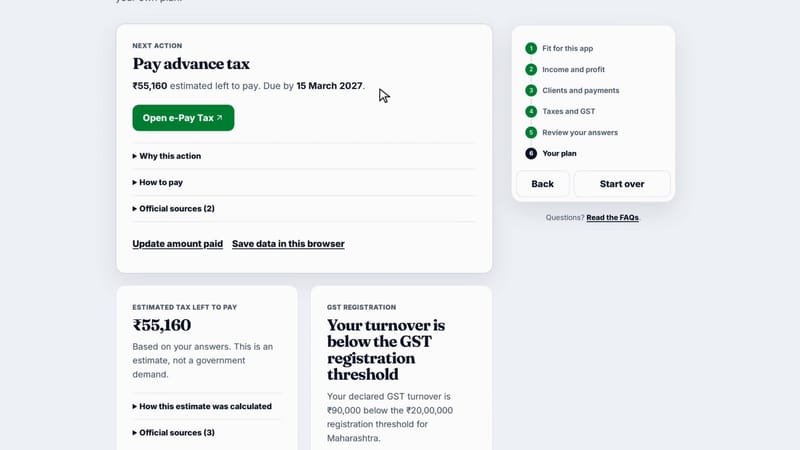
The whole product is this card: the next action, the estimated amount, the date, and a button to the official portal.
The plan opens on a single card: Pay advance tax. ₹55,160 estimated left to pay. Due by 15 March 2027. One green button takes you to e-Pay Tax. Under it, three disclosures answer the follow-up questions: why this applies to you, how to pay it, and which official sources say so. Below the card sits the agenda for the rest of the tax year.
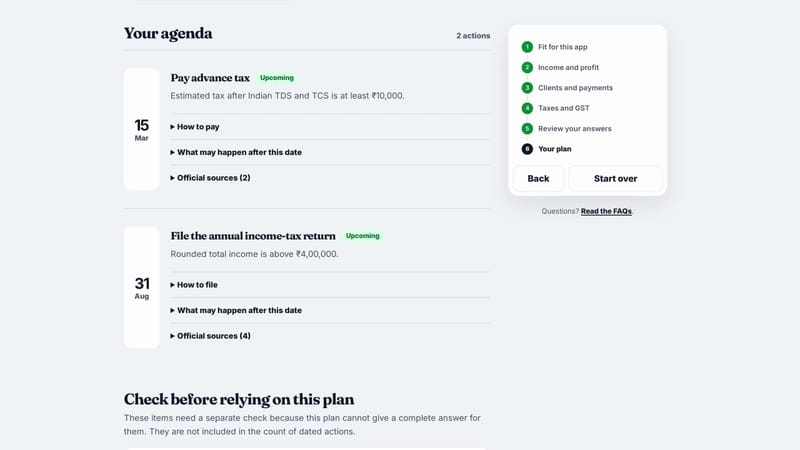
The agenda lays out the rest of the year. Each action carries its own sources and what happens if you miss the date.
I still file and pay on the government portals. The app never touches them. It just gets me there knowing what I’m there to do.
How your answers become a plan
The app is a static React site. Everything below happens inside one browser tab.
- Questionnaire: five steps that build a Draft, your answers as typed, including half-finished ones.
- parseProfile: turns a complete Draft into a validated Profile, or explains what’s missing.
- Rule dataset: every rate, threshold, date, and condition for Tax Year 2026-27, shipped inside the build and tied to 28 statutory sources.
- evaluate: the only function that decides anything. Profile, rules, and today’s date in; a result out.
- Plan: the next-action card, the agenda, the tax summary, and anything that needs a separate check.
Two pieces of storage sit beside that pipeline, both in your browser. A Recovery draft keeps your answers through a refresh in the current tab. A Saved workspace keeps your Profile and the actions you’ve marked done, but only if you explicitly ask it to.
Most of the final round went into widening what the Profile can describe. Freelancing describes your work, not your whole income. The 24-hour version assumed a freelancer earns from clients and nothing else. The final one handles domestic salary alongside client work, bank interest and dividends, rental income, Indian equity gains and losses, employer NPS, foreign assets, platform work through sites like Upwork, overseas clients, and a GST return calendar for anyone registered.
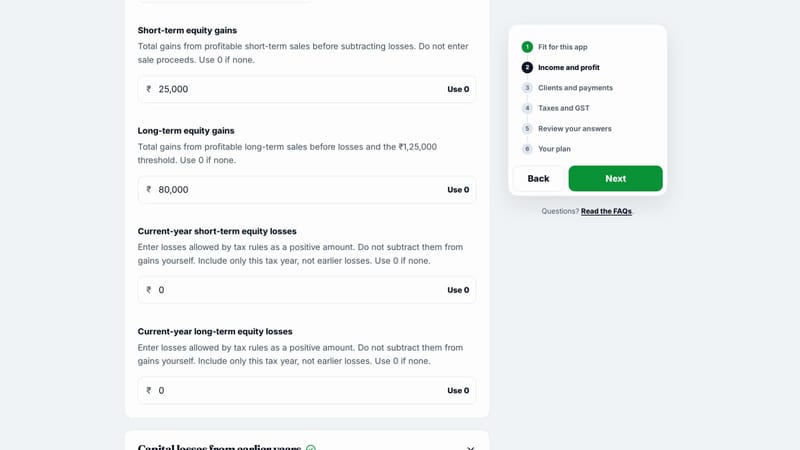
The questionnaire asks only for what your plan needs, with help text on every field that could be misread.
Each new income type made the questionnaire longer, so the other half of the work was cutting it back down: questions that only appear when your earlier answers make them relevant, plain-language labels, and help text wherever a tax term would otherwise stop someone cold.
Your browser as the only database
Keeping everything on the device shaped more of the app than any feature did.
A tax planner asks for your salary, your client receipts, your capital gains, and whether you hold foreign assets. The moment that data reaches a server, I’m running a database of people’s finances, with everything that comes with it: accounts, breaches, retention, and a privacy policy that has to stay true. The brief didn’t need any of that, and neither did the user. The only thing a plan needs is your answers and the rules, and both fit in a browser tab.
So the app has no backend. Your answers never leave your device, and it does no analytics or session replay. Profile and money values are never allowed into URLs, page titles, logs, or links, which is a rule the code enforces and the tests check.
There’s no server to host, so hosting is one config file. The build is a folder of static files served by Cloudflare Workers Static Assets on mynextfiling.wekeep.in, with no Worker script at all. Unknown paths fall back to the app, and every branch gets its own preview URL. Your tax data can’t leak from a server that doesn’t exist.
There’s a cost. No account means no sync across devices and no backup. Clear your site data and your saved plan is gone. Anyone who shares your browser profile can open it. Saving is opt-in for exactly that reason, and the app says all of this before you save. For a tool that asks about your salary and your capital gains, I’d make that trade again.
Tax rules that are allowed to expire
The second decision: the app must know when it can’t help.
A chatbot will always give you an answer. Tax software that answers confidently outside its scope is worse than no tax software, because you’d at least double-check a blank page. So evaluate has three possible results, and only one of them is a plan.
The rules live in the code as a typed dataset of about 2,000 lines. Every value carries the statutory source it came from and the date a human last checked it, and the whole dataset carries an expiry date: 31 August 2027 for this one. Past that date, or if any core group fails validation, the app stops calculating and says why. It doesn’t fall back to last year’s numbers.
The scope is narrow on purpose: Tax Year 2026-27, resident individuals, one confirmed presumptive income path. If your answers fall outside that, you’re told immediately, while you’re still answering, instead of at the end. And if one independent area is unavailable, say the advance-tax rules, the app still shows everything that doesn’t depend on it, plus a review action for the part it couldn’t conclude.
Coming back to the plan
A tax plan isn’t a one-time answer. You pay, the balance changes, and the next action should change with it.
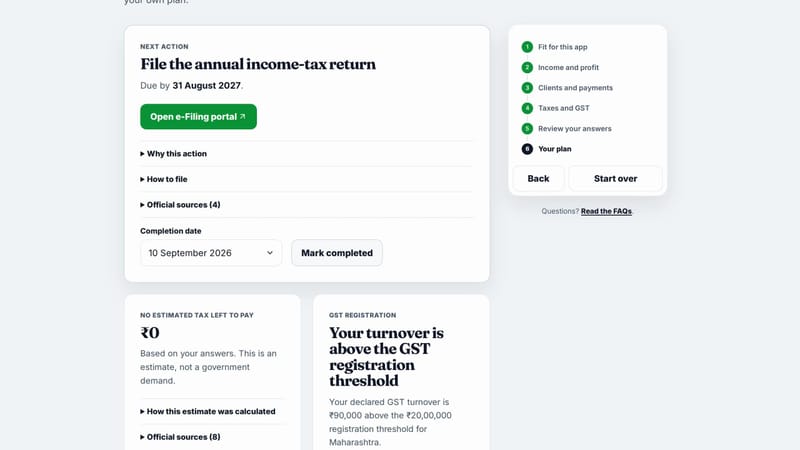
After the advance tax is paid, the balance reads ₹0 and the next action moves to the annual return.
Save your plan, come back, update what you’ve paid, and recalculate. Mark an action complete with a date and the next one takes its place. Each action moves through a small set of states:
Two details I’m happy with:
- You can’t complete advance tax while you still owe it. If the estimate says ₹55,160 is left, “Mark completed” isn’t available. Update the amount paid first, recalculate, and once the balance is zero the action can close. It stops you from ticking off a payment you only half made.
- Completion is a claim, not a fact. The app can’t see the government’s systems, so a completion is your own declaration on a date. You can change it or undo it. If you later change your Profile, or the rules change, a completion that no longer matches gets marked Needs review instead of silently counting.
A deliberately boring stack
Nothing in it is exotic:
- React 19 and Vite, with React Router for the questionnaire steps.
- Tailwind 4 with shadcn components on Base UI, and Fraunces with Inter for type.
- A pure TypeScript core. Rules, parsing, and evaluation have no UI imports, so they’re tested directly.
- Vitest and Playwright for the logic and the browser journeys, Lighthouse CI to keep pages fast, and a rule-validation script that runs before every release.
Building it with Codex
The competition required Codex or an OpenAI model to contribute meaningfully. In practice it wrote most of the code. My job was deciding what it should write, and pushing back when it got it wrong.
That started before any code. The product lives in a spec of about 730 lines: who the app is for, what it refuses to calculate, and what it must never do with your data. Codex turned that into a decision map, then each feature into its own spec and a stack of small issues. By the end there were 21 feature folders, 83 issue files, and four architecture decision records.
The rules I cared about most went into the repo’s agent instructions, so Codex read them on every task. Keep money values out of URLs and logs. Keep tax rules local, typed, sourced, and expiry-bound. Any change to a threshold, rate, or date runs through a compliance-review skill first, and every piece of interface copy runs through a write-ux-copy skill.
Feedback ran on evidence. Codex verified its own work with Playwright and dropped the results into an artifacts/ folder, 54 of them by the end: page captures at 390, 1024, and 1440 pixels wide, test logs, and before-and-after runs. I reviewed those and sent it back. The pitch deck went through 15 rounds that way. One tooltip on the employer NPS field took six debugging rounds across touch, press, and repeated taps before it behaved.
It cut both ways. Codex was the one that caught a defect in the spec’s GST aggregate-turnover logic, which is the kind of mistake that quietly gives someone the wrong registration answer.
A video made by AI, too
The final round also needed a demo video of about two minutes. Codex wrote that as code as well.
It’s a Remotion project. It opens on handwritten notes on textured paper, then turns the page into the live app. Nothing in the app footage is screen-recorded by hand:
A Playwright script fills the real questionnaire with fictional answers while the recorder captures timestamped frames from Chromium’s screencast. The cursor follows human-looking Bézier curves ported from HumanCursor. Clicks, ripples, callouts, and sound effects all hang off the same timeline, so when the UI changed, I asked for a re-record instead of re-editing anything by hand. The stage pitch used the same recorder for its three demo chapters, inside a 13-slide deck that lives at /pitch in the app.
My part was the same as with the app: the narration, the direction that pairs each line with what’s on screen, and feedback on every cut.
Pitch day
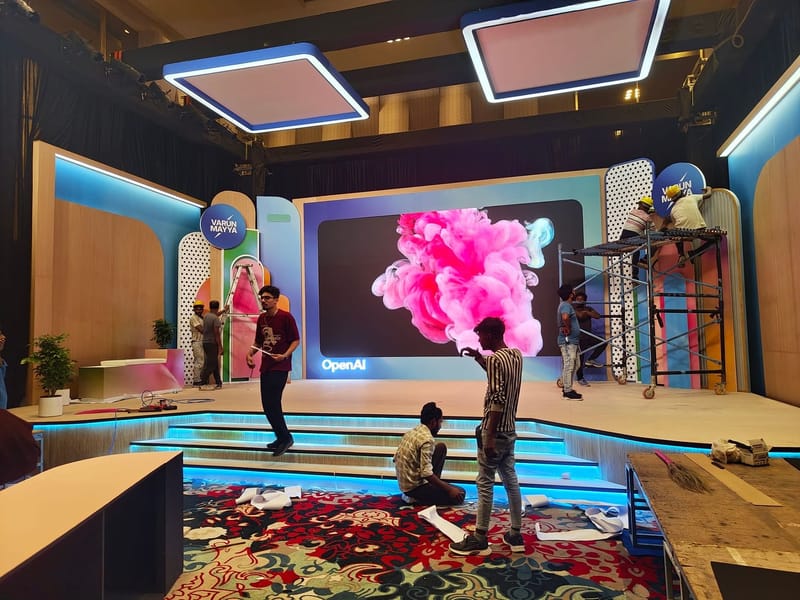
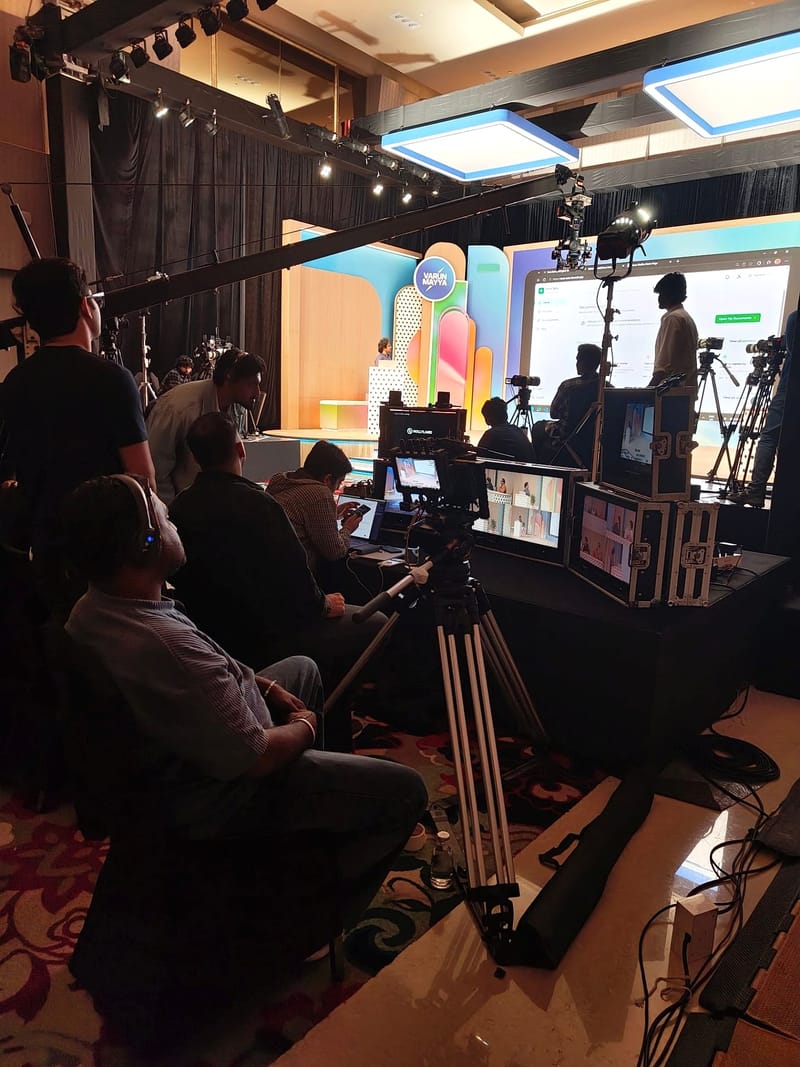
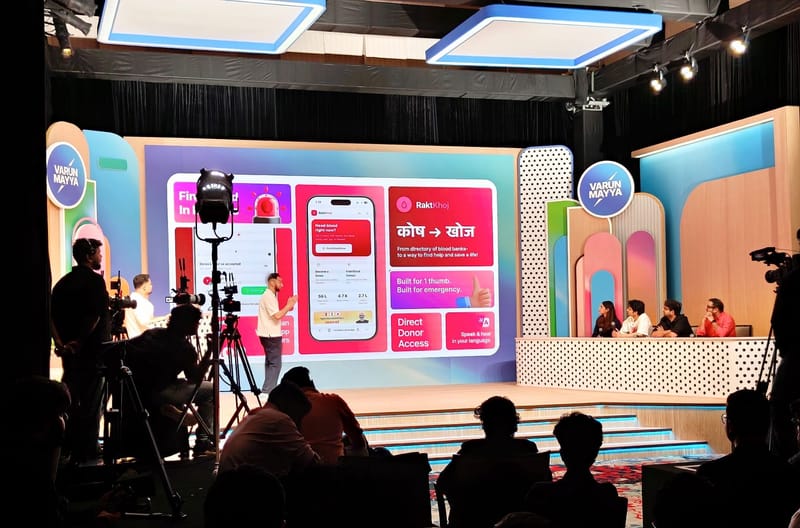
The final was filmed on 12 September. I got to the venue a day early and watched the set go up around us: an LED backdrop in the lobby, a stage still under scaffolding, and by the next evening a jib arm swinging over the audience and four judges behind a polka-dot desk.

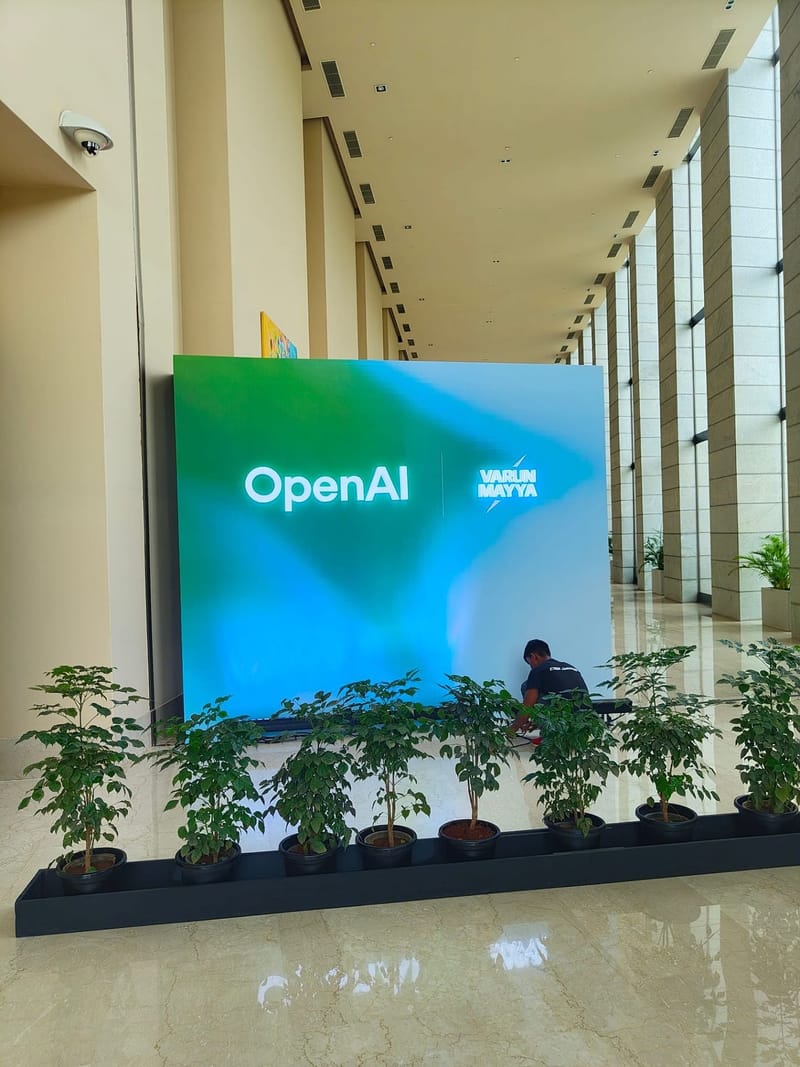





11 September: the OpenAI and Varun Mayya backdrop going up in the venue lobby.
The stage, a day before the pitches, still under scaffolding.
Pitch day from behind the camera crew.
The monitors, the jib, and the stage from the back of the room.
Another finalist's pitch, RaktKhoj, with the judges on the right.
What the judges taught me
I didn’t place. The pitch is at 41:08 in the final video, and the feedback was blunt.
One judge said there are companies doing the exact same thing, in more detail and with better design. Another said they just send their details to an AI and ask what to pay. The last note was to look at the business side before I start building, not just follow my programming instincts.
- They’re right about the business. A free, account-less, analytics-free tool for one kind of taxpayer has no obvious way to make money. I built it anyway because I was the user, and that’s a reason, not a business.
- The AI point I’d argue with. I used AI to build this tool, not to be it. A chatbot will always give you an answer. The whole design of My Next Filing is about the moments it shouldn’t: when your situation is out of scope, when a rule is stale, when the only honest output is “check this separately.”
- Restraint is hard to demo. Everything I’m proudest of is something the app refuses to do, and that’s a harder sell on stage than a chat window that always answers.
What I’d build next
The spec already names the next slices. The big one is the next tax year: rolling a saved plan over, keeping prior years open while they still have something due, and archiving them read-only once they don’t. That has to land before Tax Year 2026-27’s rules expire, or the app stops calculating by design.
Terms I had to look up
Some of these I’d heard for years without knowing what they meant. Building the rules forced me to.
- Advance tax: paying income tax in the year you earn instead of after it ends. It applies when your estimated tax, after TDS and TCS, is ₹10,000 or more.
- TDS and TCS: tax deducted or collected at source. A client or platform takes it out before paying you, and it counts toward what you owe.
- Presumptive taxation: declaring profit as a fixed share of your receipts instead of keeping full books. For a specified profession it’s at least 50% of receipts; for an eligible business, 6% or 8% depending on how you were paid.
- Specified profession vs eligible business: the two presumptive paths. Which one you’re on changes your profit, your filing threshold, and your plan.
- Tax Year: the earning period under the Income-tax Act, 2025, which replaced the old previous-year and assessment-year pair. This release covers Tax Year 2026-27.
- GST aggregate turnover: the all-India value of your taxable, exempt, export, and inter-State supplies under one PAN. It decides whether you must register for GST.
- GST registration threshold: ₹20 lakh of aggregate turnover for services in most states, ₹10 lakh in Manipur, Mizoram, Nagaland, and Tripura.
- LUT (Letter of Undertaking): lets a registered exporter of services supply without paying IGST upfront.
- QRMP: the GST scheme where you file returns quarterly but pay monthly.
- Normal vs operative due date: the date in the statutory schedule, and the extended date that actually applies when the government extends it.
- Surcharge: extra tax on top of income tax once total income crosses ₹50 lakh.
The app is live at mynextfiling.wekeep.in, with a fictional example you can try without entering anything of your own. If you’re a freelancer in India and it gets your plan wrong, I’d like to hear about it.