How to build an interactive Grok Bot-like avatar
Build a Grok Bot-like avatar with SVG, Astro, and React. Add cursor tracking, expressive eyes, protective winks, and natural idle animations.
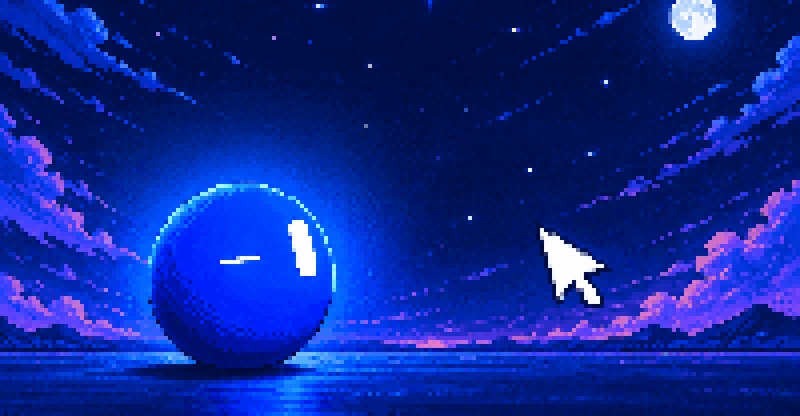
Move the cursor closer and it should react. Poke an eye and it should close that eye. Leave it alone and it should look for you.
That was the brief when I retired the animated pixel-art hero on my home page. I still liked having something animated beside the heading, but I was done with the pixel styling, and I wanted visitors to be able to play with it.
That became a blue circle with two white eyes, visually inspired by xAI’s Grok Bot avatar. This walkthrough uses React, SVG, and requestAnimationFrame. It has no Lottie player or additional animation library.
I built it in a long back-and-forth with Codex. Most of my feedback was about behavior: too sleepy, too rigid, too sudden, looking in the wrong direction. Those observations became distances, timings, coordinate transforms, and a few rules about which reaction takes priority.
Inspiration and references
The Grok Bot avatar was the visual direction I wanted: a simple body and expressive eyes that communicate through small changes in shape and movement. This is the one I mean, animated by Benji Taylor:
Had a lot of fun animating our new Grok Bot icon. It's entirely made in code, with every state, shape and expression able to morph smoothly into the other. And of course, I made it with Grok Build.pic.twitter.com/YwtvtyN2u8
— Benji Taylor (@benjitaylor) August 11, 2026
Two projects helped me get there:
- CX-ArtLab’s Agent Robot Avatar was the first reference I shared with Codex. Its cursor-following eyes, idle expressions, and press-and-drag interactions helped establish the idea of a character visitors could play with.
- Jérémy Perret’s Bloub, an SVG recreation of the xAI bot avatar, became the final visual reference. I corrected the brief midway through because its Grok-style eyes, expression transitions, and movement were closer to what I had intended. I adapted its eye geometry and pose data into the avatar implementation.
The cursor tracking and head transforms from the first, CX-ArtLab-inspired version survived the switch. The proximity reactions, protective winks, idle routine, and blue-and-white styling came after.
Start with the character’s behavior
Before tuning curves, I needed to decide what the cursor meant to the character.
My first attempts changed its expression based on how fast the cursor moved. That was unpredictable. A quick movement across the page could make the avatar react even when the visitor wasn’t trying to interact with it. I removed speed from the emotion model and used distance instead.
The final rules use the distance from the center of the avatar’s button, measured in CSS pixels:
| Cursor position | Reaction |
|---|---|
| Outside 640px, or outside the window | Cheerful searching, with occasional pauses |
| Between 260px and 640px | Curiosity and a turn toward the cursor |
| Between 100px and 260px | Increasing irritation |
| Inside 100px | Recoil, while continuing to look at the cursor |
| Close to a rendered eye | Shut that eye and keep the other one open |
The eye rule runs within the close-range reaction. It can override a head shake, so two competing animations don’t fight over the face. Clicking, holding, and dragging also get temporary priority over automatic reactions.
Curiosity, irritation, and recoil driven by the cursor’s distance. The live component is enlarged for these recordings, with a visible cursor overlay.
I also softened the outer boundary. Entering the tracking area should gradually get its attention, rather than immediately pushing the face to its maximum turn.
const TRACKING_RADIUS = 640;
const ANGRY_RADIUS = 260;
const AFRAID_RADIUS = 100;

const distance = Math.hypot(dx, dy);
const edge = Math.min(1, (TRACKING_RADIUS - distance) / 100);
This edge value is used only after checking that the pointer is inside the tracking radius. Across the outermost 100px, the tracking strength grows from zero to one. I multiply the gaze and head movement by it.
Inside the irritation zone, the expression has a similar continuous value:
const intensity = (ANGRY_RADIUS - distance) / (ANGRY_RADIUS - AFRAID_RADIUS);That value blends eye width, height, and angle between the curious and angry poses. The face becomes more annoyed as the pointer approaches, instead of abruptly switching to one fixed angry drawing.
Keep the body simple
I tried an antenna, a shadow, a caption, and later a fluid body that changed shape as it turned. The morphing was particularly distracting. I kept asking the shape to communicate rotation, expression, and movement at once.
A circle solved that problem. Its outline can remain fixed while the eyes carry the direction and expression. Small translations give the body movement without changing its silhouette.
The implementation ended up in three files:
src/components/RobotAvatar.tsx   # Behavior, input handling, and the frame loop
src/utils/robot-face.ts          # Expression poses and projected eye geometry
src/style/robot-avatar.css       # Color, sizing, focus, and fill transitions
With Astro’s React integration configured, mount the component as an island:
---
import RobotAvatar from './RobotAvatar.tsx';
---

<RobotAvatar client:visible />
The SVG uses a 240 × 240 view box. Each eye is a rounded rectangle inside a group. A pose supplies the rectangle’s dimensions and the group’s transformation matrix.
{
  eyes.map((eye, index) => (
    <g key={index} transform={eye.transform}>
      <rect
        x={-eye.width / 2}
        y={-eye.height / 2}
        width={eye.width}
        height={eye.height}
        rx={Math.min(eye.width, eye.height) / 2}
        fill="var(--color-white)"
      />
    </g>
  ));
}
That’s the static structure. The animated version holds references to those groups and rectangles and updates their attributes between poses.
Make the eyes turn around a sphere
Moving both eyes left and right by the same amount looked flat. I wanted the face to appear to turn, even though the body was still a circle.
getRobotEyes() treats the eyes as capsules sitting on the visible surface of a sphere. It rotates a small set of 3D direction vectors for the gaze, places an eye on either side of the face, and projects the results into the SVG plane.
The returned SVG matrix contains both the eye’s position and its orientation. As the head turns, one eye becomes narrower through foreshortening. When the cursor is on the left, the right eye appears wider than the left. An early version had this relationship backward, which made the direction feel wrong even though both eyes moved toward the cursor.
There was another subtle problem: the reference pose had a built-in tilt. Keeping that tilt in the neutral pose made the face look permanently crooked. I reset the neutral gaze and kept deliberate rotations in the expressions and gestures that needed them.
The useful separation here is between the circle’s movement, the gaze direction, and the eye shape. An angry eye can still look left. A frightened face can move away while looking back toward the pointer.
Recoil without losing the cursor
The body normally moves slightly toward the cursor. Very close up, that direction reverses:
const retreat = 1 - distance / AFRAID_RADIUS;

headX = -direction.x * 24 * retreat;
headY = -direction.y * 18 * retreat;
roll = -direction.x * 18 * retreat;
The translation is in CSS pixels; roll is in degrees. The retreat grows as the cursor approaches the center. I also keep the last useful direction when the distance is almost zero, so the avoidance direction doesn’t become undefined at the exact center.
The eyes need a separate calculation. Once the head has moved and tilted, the cursor’s page coordinates no longer describe where it sits relative to the face. I subtract the head’s translation, rotate the pointer into the head’s local coordinates, and calculate the gaze from there.
For eye protection, the renderer uses the current SVG transform directly:
const matrix = emotion.getScreenCTM();
if (!matrix) return;

const local = new DOMPoint(pointer.x, pointer.y).matrixTransform(
  matrix.inverse(),
);
getScreenCTM() gives me the element’s transformation matrix. Applying its inverse brings the pointer into the face’s coordinate system, including the current avoidance tilt.
That keeps the open eye aimed at the cursor while the rest of the character tries to get away from it.
Animate the geometry in one frame loop
React manages changes such as the mood and whether the button is pressed. The continuously changing pose lives in refs and local values inside the animation effect.
The frame loop eases the current geometry toward the target geometry:
const dt = Math.min(64, Math.max(0, now - lastTime));
const mix = 1 - Math.exp(-dt / response);

current.width += (target.width - current.width) * mix;
current.height += (target.height - current.height) * mix;
I use a slower response while searching or noticing a distant cursor, and a faster response for close interactions. Dragging gets the fastest response so the character doesn’t feel detached from the pointer.
This is exponential smoothing, not a fixed-duration transition. The target can keep moving while the current pose follows it. Using elapsed time also keeps the calculation from depending on the number of frames the browser happens to render. The timestamp from requestAnimationFrame supplies that elapsed time.
Some eye positions looked blurry during the earlier transform-based version. The fix was to update native SVG attributes, keeping the eye geometry in the SVG renderer:
group.setAttribute('transform', `matrix(${matrix.join(' ')})`);
capsule.setAttribute('width', String(width));
capsule.setAttribute('height', String(height));
capsule.setAttribute('x', String(-width / 2));
capsule.setAttribute('y', String(-height / 2));
capsule.setAttribute('rx', String(Math.min(width, height) / 2));
I removed the CSS transform animations that were competing with this loop. CSS still handles the colors. This was a fix for the way I had layered and animated this SVG; it isn’t a rule that every CSS-transformed SVG will be blurry.
Let it protect one eye
If the pointer approaches an eye, that eye closes to a thin slit. The other stays wide open and continues tracking. The head adds a small avoidance tilt.
Checking against the eye’s original position doesn’t work once the face can turn and drift. I read each rendered eye group’s screen matrix. Since the capsule is centered on its group’s origin, the matrix’s e and f values give me its current center.
const center = eye.getScreenCTM();
if (!center) return;

const distance =
  Math.hypot(pointer.x - center.e, pointer.y - center.f) * unitsPerPixel;
unitsPerPixel converts the measurement back into SVG units. The guard starts inside 42 units and can stay active until 64 units. That wider release boundary is hysteresis: the eye doesn’t repeatedly open and close just because the avoidance movement carries it across the original threshold.
Only one eye is protected at a time. I also suppress the ordinary two-eye blink during protection, so the other eye doesn’t unexpectedly shut while it’s supposed to be watching.
Each eye can protect itself independently. Moving away from the eyes allows the close-range head shake; retreating farther gets a nod.
Keep the nod and shake on the right axes
The first “no” and “yes” gestures looked diagonal. I was applying them inside a group that was already rotated toward the cursor. Its local horizontal and vertical axes had rotated too.
For the body’s movement, I convert the intended screen-space offset back through the parent’s rotation:
const angle = ((pose.roll + pose.tilt) * Math.PI) / 180;

const localX = motionX * Math.cos(angle) + motionY * Math.sin(angle);
const localY = motionY * Math.cos(angle) - motionX * Math.sin(angle);
When SVG applies the parent rotation again, the resulting movement follows the intended screen axis. The eye projection applies the same idea to its yaw and pitch rotations.
I also stopped using a sideways tilt as the main “no” motion. A left-right turn reads more clearly. The final shake uses a wider turn over 680ms, while the nod takes 800ms.
These gestures need pauses between them. The first refusal can happen after about 1.2 seconds of close attention, then it repeats with a randomized six-to-ten-second gap. Retreating out of the close zone can trigger a nod, with an eight-second cooldown. Without those gaps, it looked like the character was stuck repeating an instruction.
Give inactivity a few different outcomes
The avatar initially went to sleep too readily. Then I removed that behavior and got another problem: after a while, it would sit there staring straight ahead.
The final idle behavior has several parts:
- It picks a new gaze direction roughly every 2.2 to 4 seconds.
- After a few looks, it sometimes pauses to wonder before continuing.
- It occasionally changes expression while no cursor is nearby.
- After at least 45 seconds of inactivity, it can get drowsy, dip briefly, and shake itself awake.
There is no lasting sleep state. The sleepy expression lasts about 1.6 seconds, followed by a short waking state, then it returns to looking around. The threshold is a minimum: another active expression can delay the drowsy moment.
This clip skips 38 seconds of inactivity. The drowsy and waking animations then run at normal speed. On the site, the idle threshold is 45 seconds.
Visibility needed a separate rule. I had originally tied activity to browser focus. That meant a visible page on another monitor could stop responding until I clicked its window.
The activity condition now uses whether the avatar is onscreen and whether the document is hidden:
activeRef.current = visible && !document.hidden;The Page Visibility API lets me distinguish a hidden document from one that is merely unfocused. A visible window can respond to the pointer events it receives. Once the cursor leaves the page, the avatar searches; it has no access to pointer coordinates elsewhere on the desktop.
When the avatar is offscreen or the document is hidden, I stop its automatic work. Reduced-motion preferences disable the continuous tracking and wandering. The element is still a button, with keyboard activation, a focus outline, and a description of the tap, hold, and drag interactions.
Bring it back into the site’s design
The early circle was almost black. It felt heavier than the rest of the page, so I switched it to the same primary blue used by the site’s buttons. The eyes stay white in both themes.
.robot-shell {
  fill: var(--color-blue-600);
}

.robot-eye {
  fill: var(--color-white);
}
The blue-and-white pair stays the same in both themes. Only the page around it changes.
The biggest improvement came from deciding what the character should do in each situation, then cutting what didn’t fit. The morphing body went. So did the cursor-speed reactions and the permanent sleep. What’s left is a circle that answers your cursor the same way every time.